What is the practical use of , <thead>,<tbody> and <tfoot> in an HTML table?
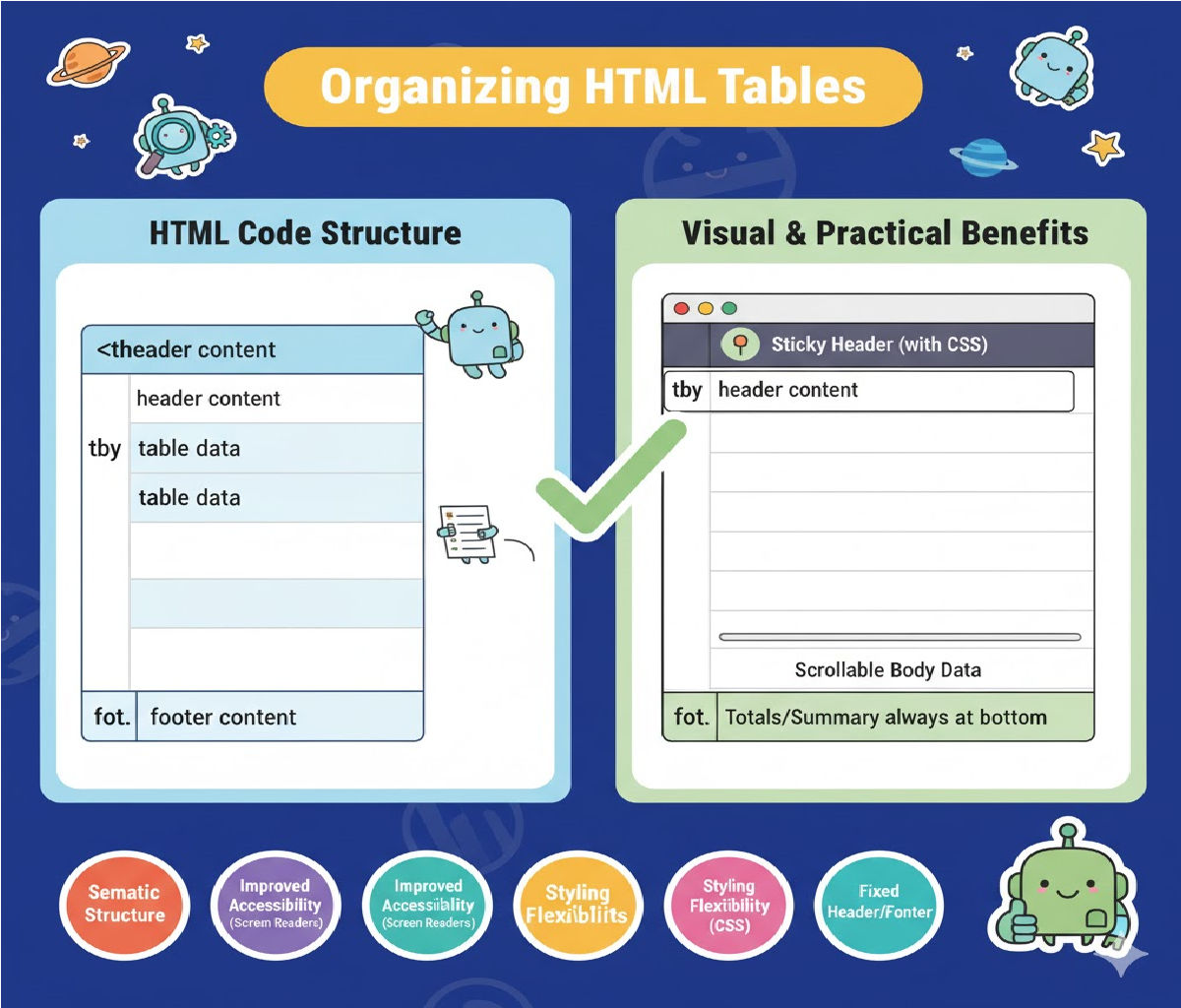
The Practical Use of <thead>, <tbody>, and <tfoot> in HTML Tables
HTML tables are a fundamental tool for presenting structured data on the web. Whether displaying product inventories, financial reports, employee attendance sheets, student marks, or analytics dashboards, tables help organize information in a way that is easy to understand and navigate. While simple tables can be built using only <table>, <tr>, <th>, and <td>, modern web standards encourage developers to use semantic elements such as <thead>, <tbody>, and <tfoot> to create cleaner, more accessible, and more interactive tables.
These three elements add structure and meaning to your table. They do not necessarily change the visual layout but significantly improve usability, accessibility, browser behavior, printing performance, and JavaScript manipulation. This long, detailed article explores the complete practical use of <thead>, <tbody>, and <tfoot>, supported with examples and best-practice guidelines.
🔶 1. Understanding the Purpose of Semantic Table Sections
HTML table sections—<thead>, <tbody>, and <tfoot>—divide a table into three distinct logical parts:
<thead>→ Table header section<tbody>→ Main data/content section<tfoot>→ Table footer or summary section
These sections help browsers, screen readers, and assistive technologies better understand the structure of the table.
🔶 2. <thead>: The Table Header Section
✔ What <thead> Contains
The <thead> element is used to group all heading rows inside a table. Heading rows typically contain:
- Column titles
- Data labels
- Category names
- Filters or search boxes (in advanced tables)
Example:
<thead>
    <tr>
        <th>Product</th>
        <th>Quantity</th>
        <th>Price</th>
    </tr>
</thead>
✔ Practical Uses of <thead>
a) Accessibility for Screen Readers
Screen readers such as NVDA, JAWS, and VoiceOver rely on the <thead> structure to announce column headers.
For example, when a visually impaired user navigates through cells, the screen reader automatically reads:
“Product column, Apples”
This significantly improves accessibility and ensures compliance with WCAG standards.
b) Repeated Header on Printed Pages
One of the biggest advantages of <thead> is that web browsers automatically repeat the header row on every printed page when a table spans multiple pages.
Without <thead>:
- Large tables print without repeating headers.
- Understanding printed pages becomes difficult.
With <thead>:
- Header is printed at the top of every page.
- Data remains easy to interpret.
c) Easier JavaScript Table Manipulation
When using libraries or custom scripts for:
- Sorting
- Filtering
- Searching
- Pagination
JavaScript easily identifies where column titles are located.
Example: A table-sorting script usually targets:
document.querySelector("thead th");
This is cleaner than scanning the entire table for header-like rows.
d) Cleaner and More Maintainable Code
Using <thead> clearly separates header information from the rest of the table.
This:
- improves readability
- avoids messy code
- simplifies debugging
🔶 3. <tbody>: The Table Body Section
✔ What <tbody> Contains
The <tbody> element wraps all the main data rows of the table.
Example:
<tbody>
    <tr>
        <td>Apples</td>
        <td>3</td>
        <td>$5</td>
    </tr>
    <tr>
        <td>Bananas</td>
        <td>6</td>
        <td>$4</td>
    </tr>
</tbody>
✔ Practical Uses of <tbody>
a) Organizing Data Rows
All regular data content is kept separate from:
- headers (
<thead>) - footers (
<tfoot>)
This creates a clearer HTML structure.
b) Allows JavaScript Sorting and Filtering
Many JavaScript table plugins (DataTables, SortableJS, Tablesorter) rely on <tbody> for manipulating rows.
For example, sorting rows by price becomes easy:
const rows = document.querySelectorAll("tbody tr");
c) Styling Advantages with CSS
Developers can style data rows independently.
Example: striped table rows:
tbody tr:nth-child(even) {
    background-color: #f3f3f3;
}
d) Improved Accessibility
Screen readers detect the <tbody> as the main content area, allowing better navigation.
e) Better Browser Rendering
Browsers render large tables faster when rows are grouped inside <tbody> because layout engines handle sections more efficiently.
🔶 4. <tfoot>: The Table Footer Section
✔ What <tfoot> Contains
The <tfoot> section generally includes:
- Totals
- Summaries
- Notes
- Disclaimers
- Calculated values
- Pagination controls (in advanced tables)
Example:
<tfoot>
    <tr>
        <th colspan="2">Total</th>
        <th>$12</th>
    </tr>
</tfoot>
✔ Practical Uses of <tfoot>
a) Perfect for Summary Rows
Any data that summarizes the contents of the table should be placed here:
- Grand total
- Average
- Count of records
- Subtotal
b) Footer Also Repeats on Print Pages
Just like <thead>, <tfoot> can repeat on every printed page in some browsers.
This keeps totals visible and accessible even in long printed reports.
c) Footer Must Come Before <tbody> (HTML Spec)
HTML specification requires:
<table>
    <thead>…</thead>
    <tfoot>…</tfoot>
    <tbody>…</tbody>
</table>
But browsers display it at the bottom.
Why?
Because browsers rearrange the sections before rendering.
d) Easier Scripting for Totals
JavaScript that calculates totals can directly target <tfoot>:
document.querySelector("tfoot th:last-child").textContent = "$" + total;
e) Useful for Table Navigation
Some screen readers announce:
"End of table content. Summary below."
This improves user experience for visually impaired users.
🔶 5. Full Example Combining All Three Elements
<table border="1" width="70%">
    <thead>
        <tr>
            <th>Product</th>
            <th>Qty</th>
            <th>Price</th>
        </tr>
    </thead>

    <tfoot>
        <tr>
            <th colspan="2">Total Amount</th>
            <th>$12</th>
        </tr>
    </tfoot>

    <tbody>
        <tr>
            <td>Apples</td>
            <td>3</td>
            <td>$5</td>
        </tr>
        <tr>
            <td>Bananas</td>
            <td>6</td>
            <td>$4</td>
        </tr>
        <tr>
            <td>Oranges</td>
            <td>2</td>
            <td>$3</td>
        </tr>
    </tbody>
</table>
This is the ideal structure for any professional HTML table.
🔶 6. Major Benefits of Using These Elements
✔ Better Code Structure
Logical separation of sections makes the HTML easy to read.
✔ Accessibility Improvements
Screen readers understand:
- column headers (
thead) - data (
tbody) - summary (
tfoot)
✔ Printing Behavior
Headers and footers repeat automatically on each printed page.
✔ JavaScript Compatibility
Dynamic tables (sorting, searching, pagination) rely heavily on sectioned tables.
✔ SEO Benefits
Google better understands structured tables, improving data extraction (especially for rich snippets).
✔ CSS Styling
Sections can be styled independently.
🔶 7. Real-World Examples Where These Tags Matter
a) Invoice or Billing Tables
Use <thead> for headings, <tbody> for itemized bills, and <tfoot> for total amount.
b) Student Marksheets
Top row → headings
Data rows → student marks
Footer → average or grade summary
c) Attendance Sheets
Clear division helps when printing monthly attendance.
d) Financial Reports
<tfoot> carries:
- total deposits
- total expenditures
- net balance
e) Large Data Tables
When printing long tables, repeating headers make pages readable.
🔶 8. Should You Always Use <thead>, <tbody>, and <tfoot>?
Yes — in every table except very tiny ones, using these tags is considered best practice for:
- accessibility
- cleaner structure
- future maintenance
- SEO
- printing
- data processing
Even a two-row table benefits from proper semantic structure.
🔶 9. More Example: Styled Table with CSS
<style>
table {
    width: 70%;
    border-collapse: collapse;
    margin-top: 20px;
}

thead {
    background-color: #333;
    color: white;
}

tbody tr:nth-child(even) {
    background: #f2f2f2;
}

tfoot {
    background-color: #ddd;
    font-weight: bold;
}
</style>

<table>
    <thead>
        <tr>
            <th>Name</th>
            <th>Hours Worked</th>
            <th>Rate</th>
        </tr>
    </thead>

    <tbody>
        <tr>
            <td>John</td>
            <td>40</td>
            <td>$20</td>
        </tr>
        <tr>
            <td>Alicia</td>
            <td>42</td>
            <td>$22</td>
        </tr>
    </tbody>

    <tfoot>
        <tr>
            <th colspan="2">Total Salary</th>
            <th>$1764</th>
        </tr>
    </tfoot>
</table>
Related Posts





