What are Map and Filter in JavaScript
map() Method
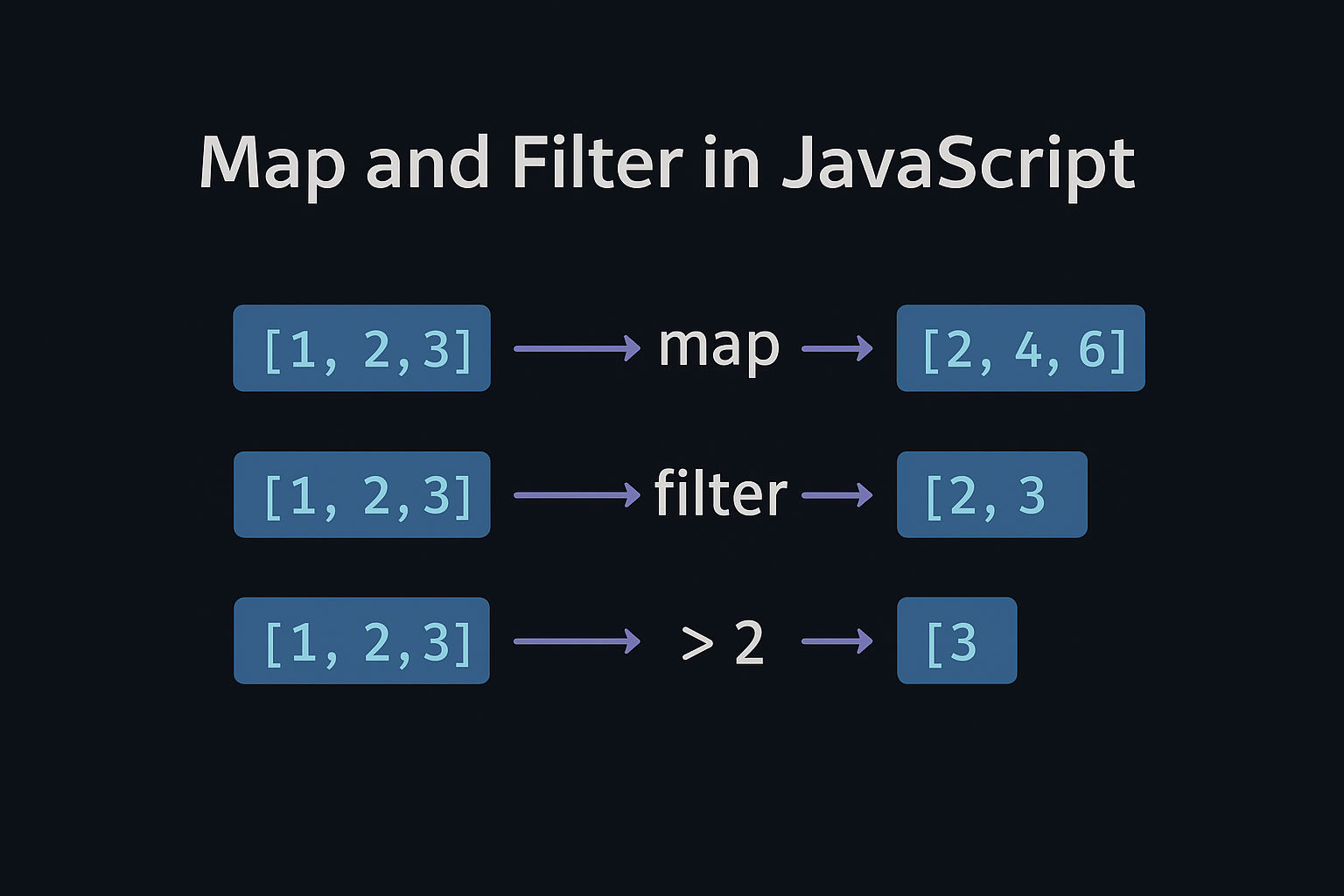
The map() method transforms each element in an array using a function and returns a new array with the transformed elements. It doesn't modify the original array.
Syntax
javascript
array.map((element, index, array) => {
  // return transformed element
});Examples
Example 1: Multiply Numbers
javascript
const numbers = [1, 2, 3, 4, 5];
const doubled = numbers.map(num => num * 2);

console.log(doubled);    // [2, 4, 6, 8, 10]
console.log(numbers); // [1, 2, 3, 4, 5] (original unchanged) Example 2: Extract Property from Objects
javascript
const students = [
  { name: "Alice", age: 20 },
  { name: "Bob", age: 22 },
  { name: "Charlie", age: 21 }
];

const names = students.map(student => student.name);
console.log(names); // ["Alice", "Bob", "Charlie"] Example 3: Convert Strings to Numbers
javascript
const strNumbers = ["10", "20", "30"];
const numArray = strNumbers.map(str => parseInt(str));

console.log(numArray); // [10, 20, 30]Example 4: With Index Parameter
javascript
const items = ["a", "b", "c"];
const indexed = items.map((item, index) => `${index}: ${item}`);

console.log(indexed); // ["0: a", "1: b", "2: c"]filter() Method
The filter() method tests each element and returns a new array containing only elements that pass the test (condition returns true).
Syntax
javascript
array.filter((element, index, array) => {
 // return true or false
});Examples
Example 1: Filter Even Numbers
javascript
const numbers = [1, 2, 3, 4, 5, 6];
const evenNumbers = numbers.filter(num => num % 2 === 0);

console.log(evenNumbers); // [2, 4, 6]Example 2: Filter by Age
javascript
const users = [
  { name: "Alice", age: 17 },
  { name: "Bob", age: 20 },
  { name: "Charlie", age: 18 }
];

const adults = users.filter(user => user.age >= 18);
console.log(adults);
// [{ name: "Bob", age: 20 }, { name: "Charlie", age: 18 }]Example 3: Filter Strings
javascript
const words = ["apple", "banana", "apricot", "cherry"];
const aWords = words.filter(word => word.startsWith("a"));

console.log(aWords); // ["apple", "apricot"]Example 4: Filter Truthy Values
javascript
const mixed = [0, "hello", false, 42, "", null, "world"];
const truthy = mixed.filter(item => item);

console.log(truthy); // ["hello", 42, "world"]Combining map() and filter()
You can chain these methods together for powerful transformations.
javascript
const students = [
  { name: "Alice", score: 85 },
  { name: "Bob", score: 45 },
  { name: "Charlie", score: 92 },
  { name: "Diana", score: 55 }
];

// Get names of students with score >= 80
const topStudents = students
  .filter(student => student.score >= 80)
  .map(student => student.name);

console.log(topStudents); // ["Alice", "Charlie"]Step-by-step breakdown:
filter()→ Keeps only students with score >= 80map()→ Extracts only the names
Key Differences
| Feature | map() | filter() |
| Purpose | Transform elements | Select elements |
| Returns | New array (same length or modified) | New array (same or fewer elements) |
| Callback returns | Transformed value | Boolean (true/false) |
| Original array | Unchanged | Unchanged |
| Use case | Change data structure | Keep/remove elements |
Practical Real-World Example
javascript
 const products = [
    { name: "Laptop", price: 1000, inStock: true },
    { name: "Mouse", price: 25, inStock: false },
    { name: "Keyboard", price: 75, inStock: true },
    { name: "Monitor", price: 300, inStock: true }
  ];

  // Get names and discounted prices of in-stock items
  const availableProducts = products
    .filter(product => product.inStock)
    .map(product => ({
      name: product.name,
      discountedPrice: product.price * 0.9  // 10% discount
    }));

  console.log(availableProducts);
  /* Output:
  [
    { name: "Laptop", discountedPrice: 900 },
    { name: "Keyboard", discountedPrice: 67.5 },
    { name: "Monitor", discountedPrice: 270 }
  ]
*/ Both map() and filter() are essential for functional programming in JavaScript and make working with arrays clean and efficient!
Related Posts