Javascript EcmaScript6 Spread Syntax
By GetItFully•••49 min read
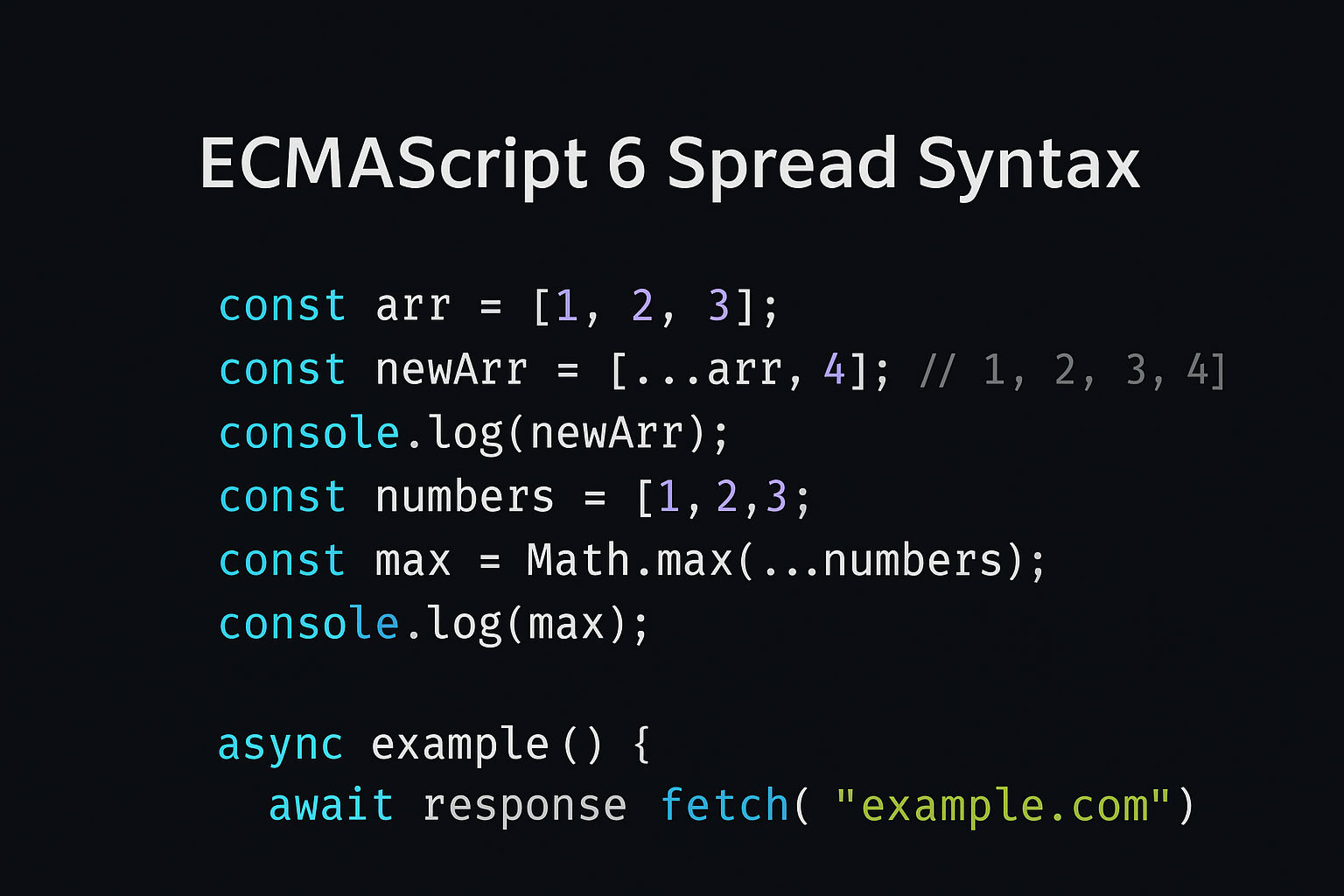
The spread syntax (...) allows an iterable (like an array or string) to be expanded in places where zero or more elements are expected. It's one of the most useful features in ES6.
Syntax
javascript
...iterableObjectSpread with Arrays
1. Copy an Array
javascript
const original = [1, 2, 3];
const copy = [...original];

console.log(copy);         // [1, 2, 3]
console.log(copy === original);   // false (different arrays)

 // Modifying copy doesn't affect original
copy[0] = 999;
console.log(original);     // [1, 2, 3]
console.log(copy); // [999, 2, 3]2. Combine Arrays
javascript
const arr1 = [1, 2, 3];
const arr2 = [4, 5, 6];
const combined = [...arr1, ...arr2];

console.log(combined);     // [1, 2, 3, 4, 5, 6]

 // With additional elements
const merged = [0, ...arr1, 3.5, ...arr2, 7];
console.log(merged); // [0, 1, 2, 3, 3.5, 4, 5, 6, 7] 3. Pass Array as Function Arguments
javascript
const numbers = [5, 6, 2, 8, 1];

 // Without spread (would pass array as single argument)
console.log(Math.max(numbers));         // NaN

 // With spread (expands array into individual arguments)
console.log(Math.max(...numbers));      // 8

 // More examples
const min = Math.min(...numbers);       // 1
console.log(min);4. Convert String to Array
javascript
const str = "hello";
const chars = [...str];

console.log(chars);   // ["h", "e", "l", "l", "o"]

 // Without spread would need Array.from()
const chars2 = Array.from(str);
console.log(chars2); // ["h", "e", "l", "l", "o"] 5. Remove Duplicates
javascript
const numbers = [1, 2, 2, 3, 3, 4];
const unique = [...new Set(numbers)];

console.log(unique); // [1, 2, 3, 4]Spread with Objects
1. Copy an Object
javascript
const original = { name: "Alice", age: 30 };
const copy = { ...original };

console.log(copy);         // { name: "Alice", age: 30 }
console.log(copy === original);   // false (different objects)

 // Modifying copy doesn't affect original
copy.name = "Bob";
console.log(original);     // { name: "Alice", age: 30 }
console.log(copy); // { name: "Bob", age: 30 } 2. Merge Objects
javascript
const person = { name: "John", age: 25 };
const job = { position: "Developer", salary: 80000 };

const employee = { ...person, ...job };
console.log(employee);
// { name: "John", age: 25, position: "Developer", salary: 80000 }3. Override Properties
javascript
const defaults = { theme: "light", lang: "en", fontSize: 12 };
const userSettings = { theme: "dark", fontSize: 16 };

// User settings override defaults
const finalSettings = { ...defaults, ...userSettings };
console.log(finalSettings);
// { theme: "dark", lang: "en", fontSize: 16 }4. Add or Update Properties
javascript
const user = { id: 1, name: "Alice" };

// Add/update without modifying original
const updatedUser = { ...user, age: 30, name: "Alicia" };
console.log(updatedUser);  // { id: 1, name: "Alicia", age: 30 }
console.log(user); // { id: 1, name: "Alice" } (unchanged)5. Remove Properties
javascript
const product = { id: 1, name: "Laptop", price: 1000, secret: "xyz" };

 // Destructure to exclude a property
const { secret, ...publicData } = product;

console.log(publicData);    // { id: 1, name: "Laptop", price: 1000 }
console.log(secret); // "xyz" Rest Parameters (Related)
Rest parameters use the same ... syntax but capture remaining elements.
With Functions
javascript
function sum(...numbers) {
  return numbers.reduce((total, num) => total + num, 0);
}

console.log(sum(1, 2, 3));          // 6
console.log(sum(10, 20, 30, 40));   // 100

 // With named and rest parameters
function greet(greeting, ...names) {
  console.log(greeting + " " + names.join(", "));
}

greet("Hello", "Alice", "Bob", "Charlie");
// Hello Alice, Bob, Charlie With Destructuring
javascript
const [first, ...rest] = [1, 2, 3, 4, 5];
console.log(first);   // 1
console.log(rest);    // [2, 3, 4, 5]

const { id, ...details } = { id: 1, name: "John", age: 30 };
console.log(id);       // 1
console.log(details); // { name: "John", age: 30 } Practical Real-World Examples
Example 1: React - Updating State
javascript
 // Adding item to array in state
const state = { items: [1, 2, 3] };
const newState = { ...state, items: [...state.items, 4] };
console.log(newState); // { items: [1, 2, 3, 4] } Example 2: API Response Merging
javascript
const userProfile = { id: 1, name: "Alice", email: "alice@test.com" };
const apiData = { lastLogin: "2025-10-20", role: "admin" };

const completeUserData = { ...userProfile, ...apiData };
console.log(completeUserData);
// { id: 1, name: "Alice", email: "alice@test.com", lastLogin: "2025-10-20", role: "admin" } Example 3: Function with Default and Custom Options
javascript
function createConfig(customOptions) {
  const defaultOptions = {
    timeout: 5000,
    retries: 3,
    debug: false
  };

  return { ...defaultOptions, ...customOptions };
}

const config1 = createConfig({ debug: true });
console.log(config1);   // { timeout: 5000, retries: 3, debug: true }

const config2 = createConfig({ retries: 5, timeout: 10000 });
console.log(config2); // { timeout: 10000, retries: 5, debug: false } Key Points to Remember
- Shallow Copy: Spread syntax creates a shallow copy. For nested objects/arrays, inner references are still shared.
javascript
  const original = { user: { name: "John", age: 30 } };
  const copy = { ...original };

  copy.user.name = "Jane";   // Modifies original too!
console.log(original.user.name); // "Jane" - Order Matters: When merging objects, the last value wins for duplicate keys.
- Works with Iterables: Arrays, strings, and other iterables can be spread.
- Not supported in IE: Spread syntax is ES6+ and not supported in older browsers.
The spread syntax makes JavaScript code cleaner, more readable, and is essential for modern functional programming!
Related Posts