How would you use Queueable Apex for handling asynchronous complex logic after record insertion?
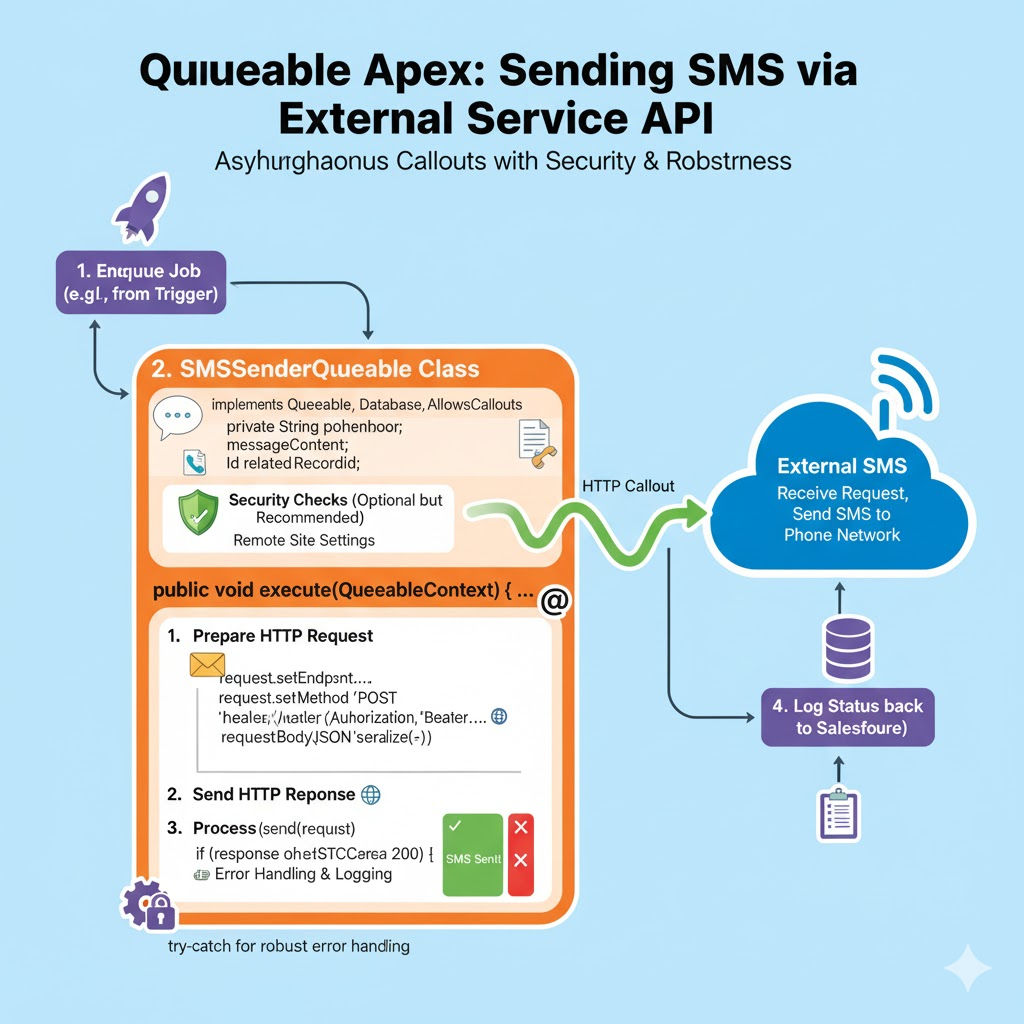
How Would You Use Queueable Apex for Handling Asynchronous Complex Logic After Record Insertion?
In Salesforce development, handling complex business logic immediately after a record is inserted can quickly become challenging. Triggers run synchronously by default, which means heavy processing inside them can slow down transactions, cause governor limit exceptions, and negatively impact user experience. To solve this, Salesforce provides Queueable Apex, a powerful asynchronous processing mechanism designed for complex, long-running operations.
This article explains how Queueable Apex can be used after record insertion, why it is preferred over other async options, and how to implement it using clean, scalable, and bulk-safe code.
Understanding the Need for Asynchronous Processing After Insert
When a record is inserted in Salesforce, several post-insert tasks may need to run, such as:
- Updating related records
- Making HTTP callouts to external systems
- Performing complex calculations
- Processing large data sets
- Chaining multiple operations
Executing these operations synchronously inside an after insert trigger can lead to:
- CPU time limit exceeded
- Too many SOQL queries
- Mixed DML errors
- Poor UI performance
This is where Queueable Apex becomes essential.
What Is Queueable Apex?
Queueable Apex is an asynchronous execution framework that allows developers to:
- Run logic in a separate transaction
- Pass complex data types (lists, maps, sObjects)
- Chain jobs sequentially
- Perform callouts
- Handle large-scale processing efficiently
Queueable Apex combines the simplicity of @future methods with the flexibility of Batch Apex.
Why Use Queueable Apex After Record Insertion?
Queueable Apex is particularly effective after record insertion because:
- Triggers cannot make callouts directly
- Triggers must remain lightweight
- Complex logic can exceed governor limits
- Post-insert operations are often non-blocking
By moving heavy logic to a Queueable job, the trigger remains fast and scalable.
Basic Flow: Trigger → Queueable Apex
The recommended architecture follows this flow:
- Record is inserted
- Trigger fires (
after insert) - Trigger enqueues a Queueable job
- Queueable job executes complex logic asynchronously
This ensures separation of concerns and governor-limit safety.
Example Use Case
Assume we have a Custom Object: Order__c and after insertion we need to:
- Update related
Accountrecords - Perform price calculations
- Send data to an external ERP system
Doing this synchronously is risky, so we use Queueable Apex.
Step 1: Create the Trigger (After Insert)
Triggers should only collect record IDs and enqueue jobs.
trigger OrderTrigger on Order__c (after insert) {
    if (Trigger.isAfter && Trigger.isInsert) {
        System.enqueueJob(
            new OrderPostInsertQueueable(Trigger.new)
        );
    }
}
Why This Works
- The trigger remains lightweight
- No SOQL or DML inside the trigger
- Logic is deferred asynchronously
Step 2: Create the Queueable Apex Class
Queueable classes must implement the Queueable interface.
public class OrderPostInsertQueueable implements Queueable, Database.AllowsCallouts {

    private List<Order__c> newOrders;

    public OrderPostInsertQueueable(List<Order__c> orders) {
        this.newOrders = orders;
    }

    public void execute(QueueableContext context) {

        Set<Id> accountIds = new Set<Id>();
        for (Order__c order : newOrders) {
            if (order.Account__c != null) {
                accountIds.add(order.Account__c);
            }
        }

        Map<Id, Account> accountMap = new Map<Id, Account>(
            [SELECT Id, Total_Orders__c FROM Account WHERE Id IN :accountIds]
        );

        List<Account> accountsToUpdate = new List<Account>();

        for (Id accId : accountMap.keySet()) {
            Account acc = accountMap.get(accId);
            acc.Total_Orders__c = (acc.Total_Orders__c == null ? 0 : acc.Total_Orders__c) + 1;
            accountsToUpdate.add(acc);
        }

        if (!accountsToUpdate.isEmpty()) {
            update accountsToUpdate;
        }

        sendOrdersToERP(newOrders);
    }

    private void sendOrdersToERP(List<Order__c> orders) {
        // HTTP callout logic
    }
}
Key Features Used Here
1. Passing sObjects to Queueable
Unlike @future, Queueable Apex allows passing:
- Lists
- Maps
- Custom objects
This makes post-insert logic far easier to manage.
2. Allows Callouts
By implementing Database.AllowsCallouts, we can safely make HTTP requests to external systems.
3. Bulk-Safe Design
The code:
- Processes multiple records
- Uses collections
- Performs single SOQL and DML operations
This ensures the solution scales to large data volumes.
Handling Complex Business Logic
Queueable Apex is ideal when logic includes:
- Conditional branching
- Multi-object updates
- Integration calls
- Reprocessing logic
You can modularize logic into helper classes:
public class OrderCalculationService {
    public static void calculateTotals(List<Order__c> orders) {
        // pricing logic
    }
}
Then call it from the Queueable class.
Chaining Queueable Jobs
Queueable Apex allows chaining for multi-step processing.
System.enqueueJob(new OrderPostInsertQueueable(orders));
System.enqueueJob(new OrderAnalyticsQueueable(orderIds));
Or inside a Queueable:
System.enqueueJob(new OrderNotificationQueueable(newOrders));
Important Rule
Only one Queueable job can be enqueued from another Queueable.
Error Handling in Queueable Apex
Since Queueable runs asynchronously, error handling is critical.
try {
    update accountsToUpdate;
} catch (Exception e) {
    System.debug('Error: ' + e.getMessage());
}
For production systems:
- Log errors in a custom object
- Send email alerts
- Use platform events
Governor Limits in Queueable Apex
Queueable Apex has higher limits than synchronous triggers:
| Limit Type | Trigger | Queueable |
|---|---|---|
| CPU Time | 10 sec | 60 sec |
| SOQL Queries | 100 | 200 |
| DML Statements | 150 | 150 |
This makes Queueable ideal for complex logic.
Queueable vs @future After Insert
| Feature | @future | Queueable |
|---|---|---|
| Pass sObjects | ❌ | ✅ |
| Chain jobs | ❌ | ✅ |
| Monitor progress | ❌ | ✅ |
| Complex logic | Limited | Excellent |
Queueable Apex is the recommended modern approach.
Testing Queueable Apex
Salesforce requires async jobs to be tested using Test.startTest() and Test.stopTest().
@isTest
public class OrderPostInsertQueueableTest {

    @isTest
    static void testQueueableExecution() {

        Account acc = new Account(Name = 'Test Account');
        insert acc;

        Order__c order = new Order__c(
            Name = 'Test Order',
            Account__c = acc.Id
        );

        Test.startTest();
        insert order;
        Test.stopTest();

        Account updatedAcc = [
            SELECT Total_Orders__c FROM Account WHERE Id = :acc.Id
        ];

        System.assertEquals(1, updatedAcc.Total_Orders__c);
    }
}
Best Practices for Using Queueable Apex After Insert
- Keep triggers thin
- Avoid SOQL and DML in triggers
- Use collections
- Handle bulk inserts
- Add proper error handling
- Use helper classes for readability
- Monitor jobs via Apex Jobs
Real-World Scenarios
Queueable Apex is commonly used after record insertion for:
- CRM → ERP integrations
- Financial calculations
- Lead scoring engines
- Post-sales automation
- Data enrichment
Conclusion
Using Queueable Apex for handling asynchronous complex logic after record insertion is a best-practice approach in Salesforce development. It ensures that triggers remain lightweight, transactions stay within governor limits, and complex processing runs efficiently in the background.
By combining after insert triggers, Queueable Apex, bulk-safe design, and clean architecture, developers can build scalable, maintainable, and enterprise-grade Salesforce applications.
Related Posts





