How do you write Apex logic that ensures proper order of execution between multiple triggers on the same object?
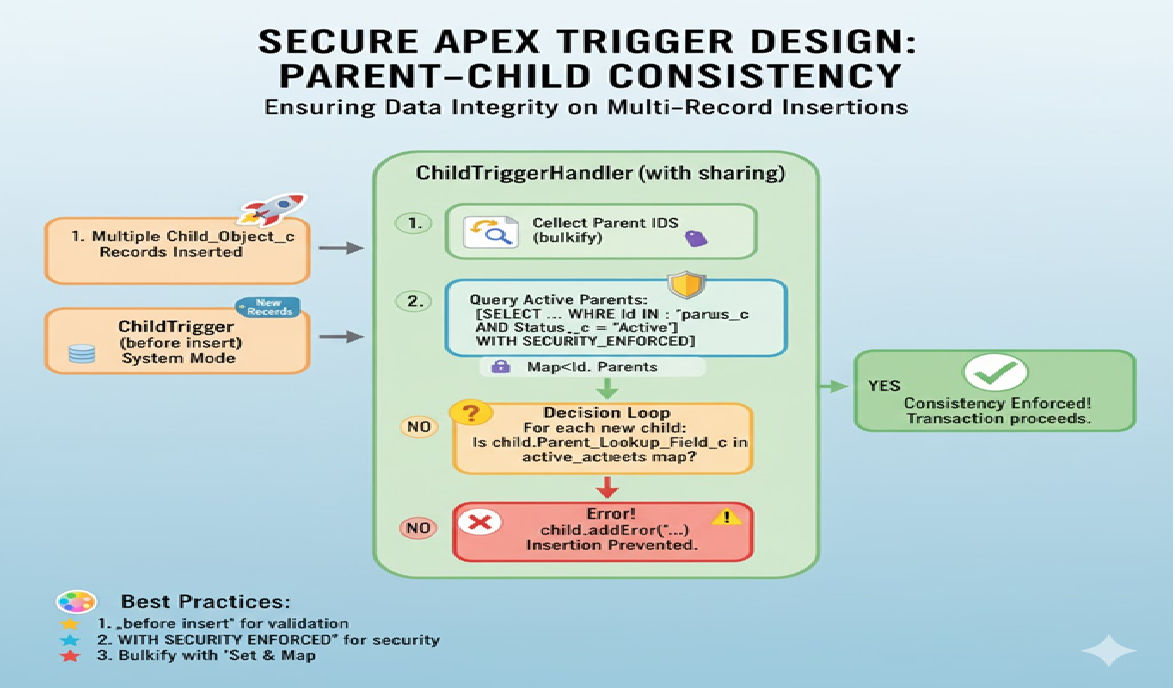
In Salesforce Apex development, triggers play a critical role in enforcing business logic when records are inserted, updated, deleted, or undeleted. However, as applications grow in complexity, developers often face a common challenge: managing the order of execution when multiple triggers exist on the same object.
Salesforce does not guarantee the execution order of multiple triggers on the same object. If more than one trigger is written for a single object, Salesforce executes them in an unpredictable order, which can lead to data inconsistencies, recursion issues, governor limit violations, and unexpected behavior.
This article explains why multiple triggers cause problems, Salesforce best practices to avoid them, and how to implement a robust Apex trigger framework that guarantees a controlled and predictable order of execution, using handler classes, trigger context control, and a dispatcher pattern.
Why Multiple Triggers on the Same Object Are a Problem
Salesforce allows multiple triggers on the same object, but:
- Execution order is not defined
- One trigger may update data that another trigger depends on
- Debugging becomes extremely difficult
- Business logic becomes scattered
- Recursion and governor limits become harder to manage
Example of a Bad Practice
trigger AccountTriggerOne on Account (before insert, before update) {
    for (Account acc : Trigger.new) {
        acc.Description = 'Updated by Trigger One';
    }
}

trigger AccountTriggerTwo on Account (before insert, before update) {
    for (Account acc : Trigger.new) {
        acc.Name = acc.Name.toUpperCase();
    }
}
In this case, Salesforce does not guarantee which trigger runs first. If TriggerTwo runs first and modifies the name, and TriggerOne overwrites data afterward, logic may break.
Salesforce Best Practice: One Trigger Per Object
The official Salesforce best practice is:
Use only one trigger per object, and move all logic into Apex classes.
This approach:
- Centralizes logic
- Makes execution order explicit
- Improves testability
- Reduces bugs and maintenance cost
The Trigger Handler Pattern
The Trigger Handler Pattern is the most widely accepted solution for controlling execution order.
Key Principles
- One trigger per object
- Delegate logic to a handler class
- Separate logic by trigger context
- Control execution sequence inside Apex code
Basic Trigger Structure
trigger AccountTrigger on Account (
    before insert,
    before update,
    after insert,
    after update,
    before delete,
    after delete,
    after undelete
) {
    AccountTriggerHandler.run();
}
The trigger itself contains no business logic. Everything is handled by the handler class.
Trigger Handler Base Class
Create an abstract base class to standardize behavior.
public abstract class TriggerHandler {

    public void run() {
        if (Trigger.isBefore) {
            if (Trigger.isInsert) beforeInsert();
            if (Trigger.isUpdate) beforeUpdate();
            if (Trigger.isDelete) beforeDelete();
        }

        if (Trigger.isAfter) {
            if (Trigger.isInsert) afterInsert();
            if (Trigger.isUpdate) afterUpdate();
            if (Trigger.isDelete) afterDelete();
            if (Trigger.isUndelete) afterUndelete();
        }
    }

    protected virtual void beforeInsert() {}
    protected virtual void beforeUpdate() {}
    protected virtual void beforeDelete() {}
    protected virtual void afterInsert() {}
    protected virtual void afterUpdate() {}
    protected virtual void afterDelete() {}
    protected virtual void afterUndelete() {}
}
This provides a clean, predictable structure for execution.
Object-Specific Trigger Handler
public class AccountTriggerHandler extends TriggerHandler {

    protected override void beforeInsert() {
        enforceNamingRules();
        setDefaultValues();
    }

    protected override void beforeUpdate() {
        validateUpdates();
    }

    protected override void afterInsert() {
        createRelatedContacts();
    }

    protected override void afterUpdate() {
        syncWithExternalSystem();
    }

    private void enforceNamingRules() {
        for (Account acc : Trigger.new) {
            acc.Name = acc.Name.trim();
        }
    }

    private void setDefaultValues() {
        for (Account acc : Trigger.new) {
            if (acc.Industry == null) {
                acc.Industry = 'Other';
            }
        }
    }

    private void validateUpdates() {
        for (Account acc : Trigger.new) {
            Account oldAcc = Trigger.oldMap.get(acc.Id);
            if (oldAcc.Rating != acc.Rating && acc.Rating == 'Hot') {
                acc.addError('Rating change requires approval');
            }
        }
    }

    private void createRelatedContacts() {
        List<Contact> contacts = new List<Contact>();
        for (Account acc : Trigger.new) {
            contacts.add(new Contact(
                LastName = 'Primary Contact',
                AccountId = acc.Id
            ));
        }
        insert contacts;
    }

    private void syncWithExternalSystem() {
        // Callout logic via Queueable or Future
    }
}
Here, execution order is explicit:
- Naming rules
- Default values
- Validations
- Post-insert logic
- Integration logic
Ensuring Execution Order Using a Dispatcher Pattern
For complex systems, use a dispatcher or service layer.
Dispatcher Class
public class AccountTriggerDispatcher {

    public static void beforeInsert(List<Account> accounts) {
        AccountValidationService.run(accounts);
        AccountDefaultService.run(accounts);
        AccountNormalizationService.run(accounts);
    }

    public static void afterInsert(List<Account> accounts) {
        AccountContactService.createPrimaryContacts(accounts);
        AccountIntegrationService.sync(accounts);
    }
}
Updated Handler
protected override void beforeInsert() {
    AccountTriggerDispatcher.beforeInsert(Trigger.new);
}

protected override void afterInsert() {
    AccountTriggerDispatcher.afterInsert(Trigger.new);
}
This makes execution order fully controlled and readable.
Handling Recursion and Execution Control
Use a static variable to prevent recursive execution.
public class TriggerExecutionControl {
    public static Boolean isRunning = false;
}
public override void run() {
    if (TriggerExecutionControl.isRunning) {
        return;
    }
    TriggerExecutionControl.isRunning = true;
    super.run();
}
This prevents infinite loops when DML is executed inside triggers.
Using Custom Metadata for Dynamic Execution Order
For enterprise-level projects, execution order can be data-driven.
Custom Metadata: Trigger_Execution_Order__mdt
Fields:
- Object_Name__c
- Context__c
- Class_Name__c
- Execution_Order__c
Example Logic
List<Trigger_Execution_Order__mdt> configs =
    [SELECT Class_Name__c
     FROM Trigger_Execution_Order__mdt
     WHERE Object_Name__c = 'Account'
     AND Context__c = 'BeforeInsert'
     ORDER BY Execution_Order__c ASC];

for (Trigger_Execution_Order__mdt config : configs) {
    Type t = Type.forName(config.Class_Name__c);
    TriggerService service = (TriggerService) t.newInstance();
    service.execute(Trigger.new);
}
This allows changing execution order without deploying code.
Benefits of This Approach
- Predictable trigger execution
- No dependency on Salesforce trigger order
- Clean separation of concerns
- Easier testing and debugging
- Scalable for large orgs
- Governor limit friendly
Testing Trigger Execution Order
@isTest
public class AccountTriggerHandlerTest {

    @isTest
    static void testBeforeInsertOrder() {
        Account acc = new Account(Name = '  Test Account  ');
        insert acc;

        Account insertedAcc = [SELECT Name, Industry FROM Account WHERE Id = :acc.Id];
        System.assertEquals('Test Account', insertedAcc.Name);
        System.assertEquals('Other', insertedAcc.Industry);
    }
}
Common Mistakes to Avoid
- Writing logic directly inside triggers
- Creating multiple triggers per object
- Performing DML inside loops
- Ignoring recursion control
- Mixing before and after logic incorrectly
Conclusion
Salesforce does not support a guaranteed execution order for multiple triggers on the same object. The only reliable way to ensure proper execution order is to use a single trigger per object and control logic flow through Apex handler classes.
By implementing:
- One-trigger-per-object rule
- Trigger handler pattern
- Dispatcher/service layers
- Static recursion control
- Optional metadata-driven execution
You can build robust, scalable, and maintainable Apex trigger logic that behaves consistently across environments and deployments.
This approach is widely used in enterprise Salesforce implementations and is considered a gold standard for professional Apex development.
Related Posts





