How do you write an Apex class to process batch jobs that handle millions of records efficiently?
1. Why Use Batch Apex for Large Data Volumes?
Salesforce enforces strict governor limits, such as:
- Max SOQL rows: 50,000
- Max DML rows: 10,000
- Heap size limits
- CPU time limits
When working with millions of records, synchronous Apex and even Queueable Apex are insufficient. Batch Apex solves this by:
- Breaking data into manageable chunks
- Running each chunk in a separate transaction
- Automatically retrying failed batches
- Allowing progress tracking and chaining
2. Core Batch Apex Architecture
Every Batch Apex class must implement:
Database.Batchable<SObject>
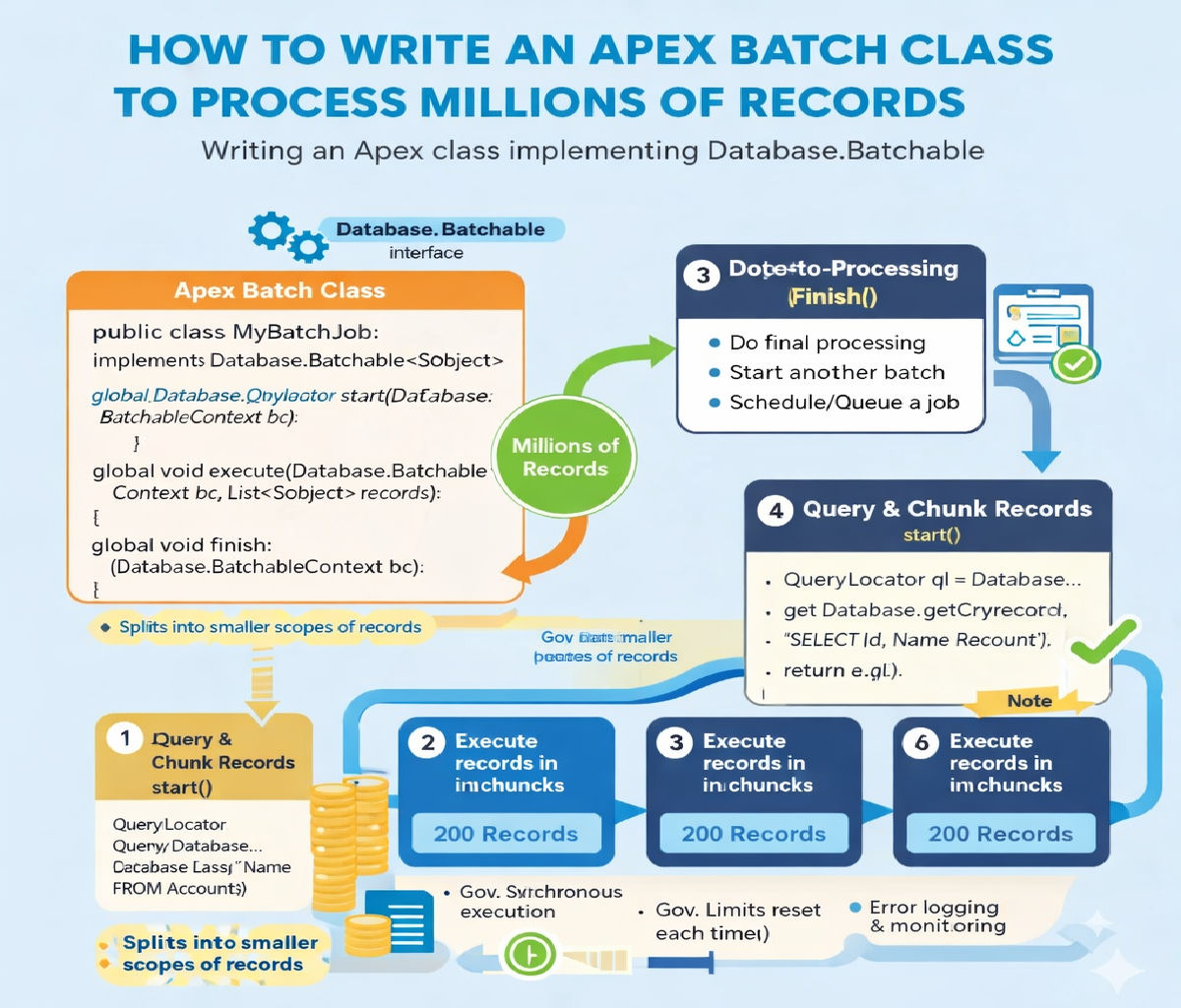
It consists of three mandatory methods:
| Method | Purpose |
|---|---|
start() | Defines records to process |
execute() | Processes a chunk (scope) |
finish() | Post-processing / chaining |
3. Batch Apex Execution Flow
- Salesforce calls
start()once - Records are split into batches of up to 2,000
execute()runs once per batchfinish()runs after all batches complete
Each execute() call is a separate transaction, which is key for handling millions of records safely.
4. Basic Batch Apex Class Structure
global class LargeDataBatch implements Database.Batchable<SObject> {

    global Database.QueryLocator start(Database.BatchableContext bc) {
        return Database.getQueryLocator(
            'SELECT Id FROM Account WHERE IsActive__c = true'
        );
    }

    global void execute(Database.BatchableContext bc, List<Account> scope) {
        // Process records
    }

    global void finish(Database.BatchableContext bc) {
        // Final logic
    }
}
5. Why Use QueryLocator for Millions of Records?
❌ Using List in start()
List<Account> accs = [SELECT Id FROM Account];
Fails beyond 50,000 rows.
✅ Using QueryLocator
Database.getQueryLocator(query)
Supports up to 50 million records, making it essential for large data sets.
6. Efficient Record Processing in execute()
Key Rules:
- Avoid SOQL inside loops
- Bulkify all logic
- Minimize heap usage
- Use collections wisely
Example: Updating Millions of Accounts
global void execute(Database.BatchableContext bc, List<Account> scope) {

    List<Account> accountsToUpdate = new List<Account>();

    for (Account acc : scope) {
        acc.Status__c = 'Processed';
        accountsToUpdate.add(acc);
    }

    if (!accountsToUpdate.isEmpty()) {
        update accountsToUpdate;
    }
}
This processes 2,000 records per transaction, well within DML limits.
7. Choosing the Right Batch Size
You can control batch size when executing:
Database.executeBatch(new LargeDataBatch(), 500);
Batch Size Guidelines
| Batch Size | When to Use |
|---|---|
| 200 | Heavy logic / callouts |
| 500 | Balanced workloads |
| 1000–2000 | Simple updates |
Smaller batches = safer
Larger batches = faster
8. Handling Millions of Records with Stateful Batches
If you need to track progress across batches, use:
Database.Stateful
Example: Counting Processed Records
global class StatefulBatch
    implements Database.Batchable<SObject>, Database.Stateful {

    global Integer totalProcessed = 0;

    global Database.QueryLocator start(Database.BatchableContext bc) {
        return Database.getQueryLocator(
            'SELECT Id FROM Contact'
        );
    }

    global void execute(Database.BatchableContext bc, List<Contact> scope) {
        totalProcessed += scope.size();
    }

    global void finish(Database.BatchableContext bc) {
        System.debug('Total processed: ' + totalProcessed);
    }
}
⚠️ Use Stateful carefully — it increases heap usage.
9. Error Handling for Large Batch Jobs
Never allow a single bad record to fail the entire batch.
Use Database.update(records, false)
Database.SaveResult[] results =
    Database.update(accountsToUpdate, false);

for (Database.SaveResult sr : results) {
    if (!sr.isSuccess()) {
        for (Database.Error err : sr.getErrors()) {
            System.debug(err.getMessage());
        }
    }
}
This ensures partial success, critical for millions of records.
10. Batch Apex with Callouts (Advanced)
If your batch calls external APIs:
implements Database.AllowsCallouts
Example
global class CalloutBatch
    implements Database.Batchable<SObject>, Database.AllowsCallouts {

    global Database.QueryLocator start(Database.BatchableContext bc) {
        return Database.getQueryLocator(
            'SELECT Id FROM Lead'
        );
    }

    global void execute(Database.BatchableContext bc, List<Lead> scope) {
        Http h = new Http();
        HttpRequest req = new HttpRequest();
        req.setEndpoint('https://api.example.com');
        req.setMethod('POST');

        HttpResponse res = h.send(req);
    }

    global void finish(Database.BatchableContext bc) {}
}
Keep batch size small (≤200) when using callouts.
11. Chaining Batch Jobs for Very Large Workloads
To process millions across multiple phases, chain batches.
Example
global void finish(Database.BatchableContext bc) {
    Database.executeBatch(new SecondPhaseBatch(), 500);
}
This enables multi-step ETL-style processing.
12. Scheduling Batch Jobs for Off-Peak Hours
For large volumes, schedule batches at night:
global class BatchScheduler implements Schedulable {

    global void execute(SchedulableContext sc) {
        Database.executeBatch(new LargeDataBatch(), 1000);
    }
}
Schedule via UI or CRON:
System.schedule(
    'Night Batch',
    '0 0 2 * * ?',
    new BatchScheduler()
);
13. Performance Optimization Best Practices
✅ Use selective SOQL
WHERE CreatedDate >= LAST_N_DAYS:30
✅ Avoid unnecessary fields
SELECT Id
✅ Use indexed fields in WHERE clauses
❌ Avoid debug logs in production batches
❌ Avoid nested loops
14. Testing Batch Apex for Millions of Records
Salesforce test context allows only 200 records, but logic remains valid.
Sample Test Class
@IsTest
private class LargeDataBatchTest {

    @IsTest
    static void testBatchExecution() {

        List<Account> accs = new List<Account>();
        for (Integer i = 0; i < 200; i++) {
            accs.add(new Account(Name = 'Test ' + i));
        }
        insert accs;

        Test.startTest();
        Database.executeBatch(new LargeDataBatch(), 50);
        Test.stopTest();

        Integer count =
            [SELECT COUNT() FROM Account WHERE Status__c = 'Processed'];
        System.assertEquals(200, count);
    }
}
15. Common Mistakes to Avoid
| Mistake | Impact |
|---|---|
| SOQL inside loops | Governor limit failure |
| Large heap objects | Out-of-memory |
| Too large batch size | CPU time exceeded |
| No error handling | Batch aborts |
| Debug logs enabled | Performance hit |
16. Real-World Use Cases
- Data migration
- Data cleanup
- Mass recalculation
- Integration sync
- Archiving historical records
- Compliance reporting
Batch Apex is the backbone of enterprise-scale Salesforce processing.
17. Summary Checklist
✔ Use QueryLocator
✔ Bulkify logic
✔ Control batch size
✔ Use partial DML
✔ Optimize SOQL
✔ Test thoroughly
✔ Schedule smartly
Final Takeaway
To efficiently process millions of records in Salesforce, Apex Batch jobs must be well-structured, governor-limit-aware, and optimized for scale. By combining QueryLocator, bulk DML, error handling, and smart batch sizing, you can safely process massive datasets without failures.
Related Posts





